
Download Broadcaster's StudioPRO – Free Screen Capture & Live Streaming Software for Windows
Looking for a lightweight yet powerful tool to capture your screen and broadcast live content online? Broadcaster's StudioPRO is a reliable, free Windows software designed for seamless video capture and real-time streaming. Whether you're a content creator, educator, or professional presenter, this tool helps you record high-quality screen videos and stream them directly to web platforms with minimal setup.
With a minimal footprint and efficient performance, it’s ideal for users with older systems or limited storage space. Since its release in 2007, Broadcaster's StudioPRO has gained popularity across countries like the United States, Germany, and the Philippines, proving its long-term value and stability. Available in English only, it runs smoothly on Windows 2000 and earlier versions, making it a go-to solution for legacy system users.
Despite its age, the software remains functional and secure, offering a simple interface and essential features for screen recording and live broadcasting. Download Broadcaster's StudioPRO today and start capturing and sharing your digital content effortlessly.
Key Features of Broadcaster's StudioPRO
Broadcaster's StudioPRO stands out in the crowded field of screen recording software thanks to its streamlined functionality and low system requirements. One of its most notable features is its ability to capture any video content displayed on your screen in real time. Whether you're presenting a PowerPoint, demonstrating software, or streaming a live gaming session, this tool ensures smooth, high-fidelity recording without lag or frame drops. The software supports both local video saving and direct web broadcasting, giving users flexibility in how they distribute their content.
Another major advantage is its lightweight design. Unlike many modern screen recorders that consume significant RAM and CPU, Broadcaster's StudioPRO uses minimal system resources, making it perfect for older computers running Windows 2000 or earlier. This efficiency translates into longer recording sessions without performance degradation. Additionally, the software offers a clean, intuitive interface that doesn’t overwhelm beginners, while still providing enough control for advanced users who want to fine-tune recording settings.
Broadcaster's StudioPRO also includes basic video editing tools such as trimming, cropping, and adjusting output quality. These features allow users to quickly prepare their recordings for upload without needing external software. The ability to save recordings in common formats like AVI or WMV ensures compatibility with most media players and video platforms. Furthermore, the software supports direct integration with popular streaming services, enabling instant broadcasting to platforms like YouTube or Twitch with just a few clicks. For those who value simplicity, speed, and reliability, Broadcaster's StudioPRO delivers a complete solution without unnecessary bloat.
How to Install and Use Broadcaster's StudioPRO
Installing Broadcaster's StudioPRO is straightforward, especially for users familiar with older Windows systems. Begin by downloading the software from a trusted source. Since it’s a free tool, there’s no cost involved, and the installation file is typically small—under 10 MB—ensuring a fast download even on slower internet connections. Once downloaded, double-click the installer and follow the on-screen prompts. The setup process is minimal, requiring no complex configurations or third-party dependencies.
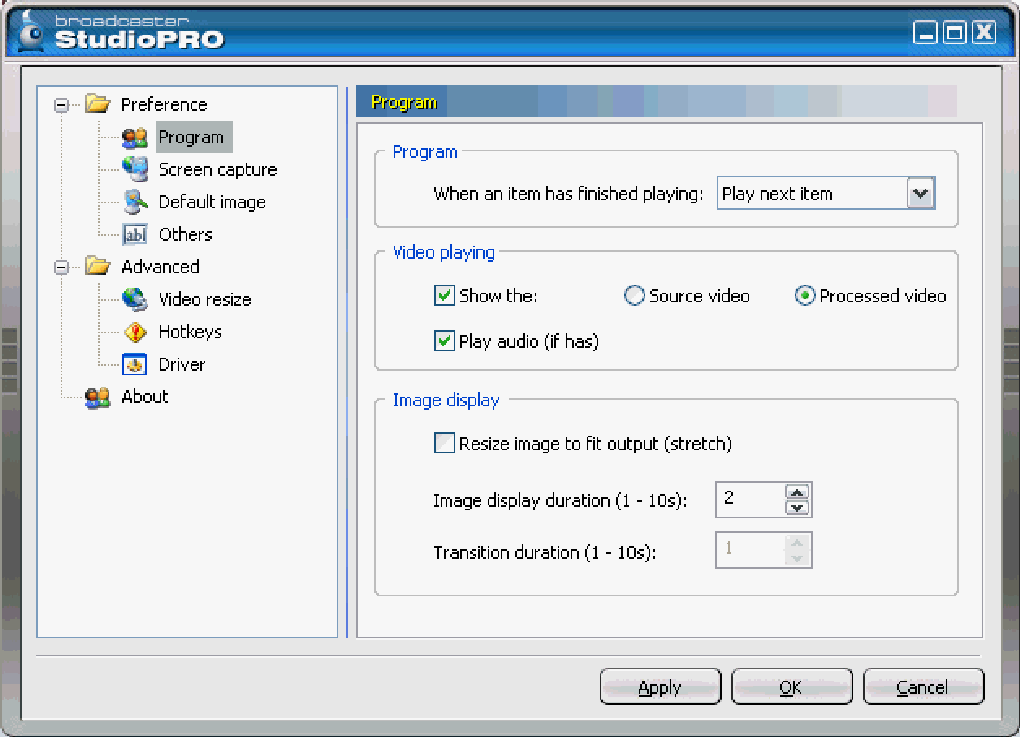
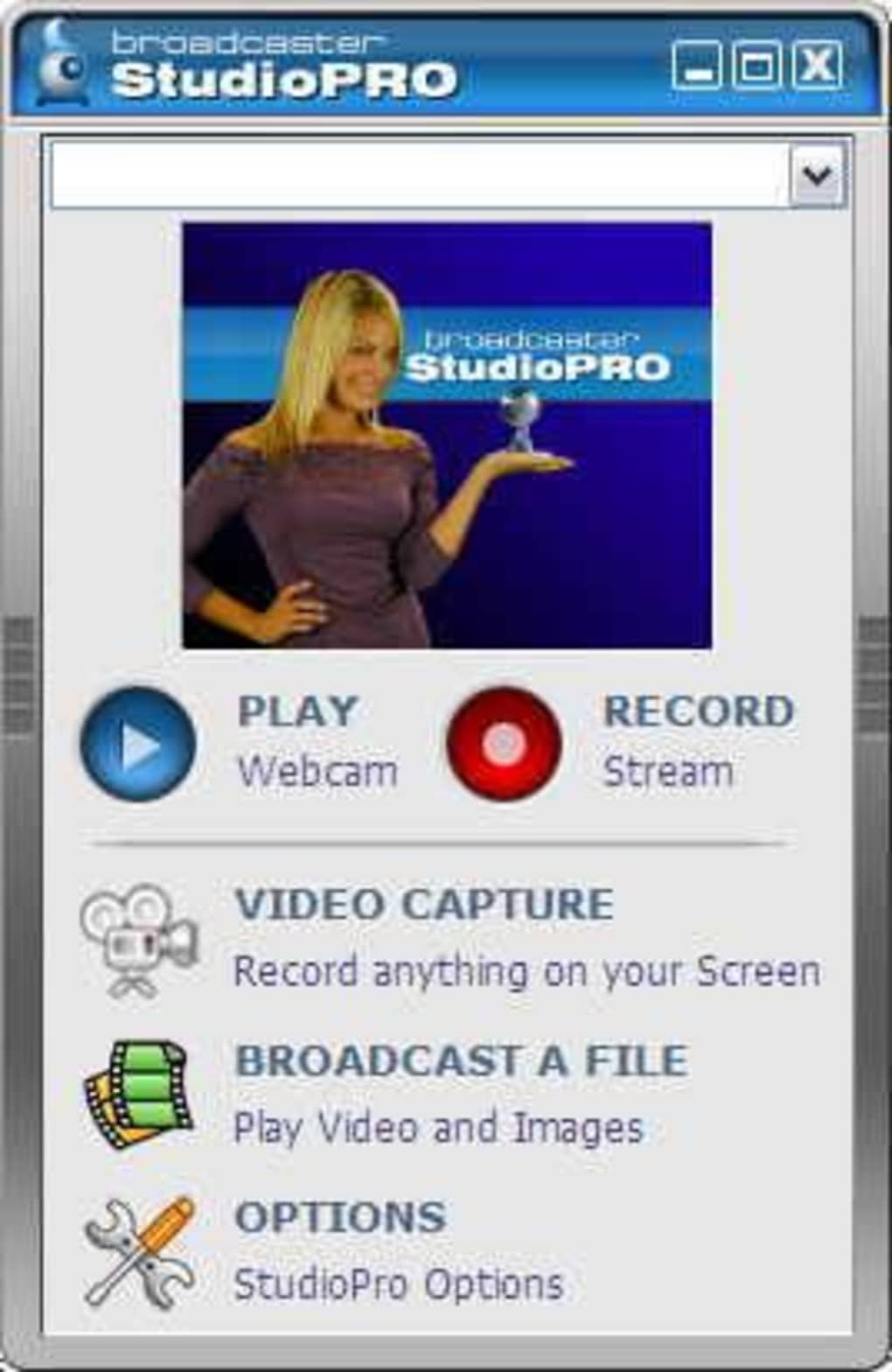
After installation, launch the application. The main interface is clean and user-friendly, with clearly labeled buttons for recording, broadcasting, and settings. To start recording, simply select the screen area you want to capture—whether it’s the entire screen, a specific window, or a custom region. You can also choose to include audio from your microphone or system sound, which is essential for tutorials or commentary. Once all settings are configured, click the “Record” button to begin capturing your screen.
For live streaming, navigate to the “Broadcast” tab and enter your streaming server details (such as RTMP URL and stream key) from your chosen platform. Broadcaster's StudioPRO will then encode and transmit your video in real time. During recording, you can pause or stop the session at any time.
After completion, the video is automatically saved to your chosen folder, ready for sharing or further editing. The software also allows you to preview your recordings before saving, ensuring you’re satisfied with the output. With minimal learning curve and no need for advanced technical knowledge, Broadcaster's StudioPRO is accessible to users of all skill levels.
Compatibility and System Requirements
Broadcaster's StudioPRO is specifically designed for older Windows operating systems, making it a unique option in today’s software landscape. It is fully compatible with Windows 2000 and all prior versions, including Windows 98, ME, and NT. This compatibility is a major plus for users still relying on legacy hardware or restricted environments where upgrading the OS isn’t feasible. While modern systems like Windows 10 or 11 may not natively support the software, it can often run via compatibility mode or through virtual machines.
Despite its age, the software maintains a remarkably low system footprint. It requires only a basic processor, 128 MB of RAM (though 256 MB is recommended), and minimal disk space—typically under 50 MB after installation. This makes it ideal for older laptops, desktops, or even embedded systems with limited resources. The software does not rely on modern graphics APIs, so it runs smoothly even on machines with integrated graphics and older video cards.
For users seeking to use Broadcaster's StudioPRO on modern systems, a workaround involves running it in a Windows 2000 virtual machine using tools like VirtualBox or VMware. This approach preserves the software’s functionality while providing a secure sandbox environment. Additionally, since the software is free and open to use, it’s safe from malware and adware—common risks with outdated software. Always download from official or trusted sources to ensure a secure experience. For educators, technicians, or anyone working with older systems, Broadcaster's StudioPRO remains a dependable solution for screen capture and live streaming.
Pros and Cons of Broadcaster's StudioPRO
- Pros:
- Lightweight and efficient, ideal for older systems
- Free to download and use with no hidden costs
- Simple, intuitive interface suitable for beginners
- Supports both local recording and live web broadcasting
- Minimal system resource usage (low CPU/RAM consumption)
- Stable performance over long recording sessions
- Compatible with Windows 2000 and earlier versions
- Cons:
- Not compatible with modern Windows versions (10/11) without workarounds
- Limited to English language only
- No advanced editing features compared to modern tools
- Outdated UI design may feel unfamiliar to new users
- Support and updates are no longer available (last update: 2007)
- Does not support newer video codecs or formats (e.g., MP4/H.264)
Frequently Asked Questions (FAQ)
- Is Broadcaster's StudioPRO safe to download and use?
Yes, Broadcaster's StudioPRO is safe to download when obtained from trusted sources. Since it’s a free, open software with no known malware or adware, and has been used by thousands globally, it’s considered secure. Always avoid third-party sites with suspicious pop-ups or bundled software.
- Can I use Broadcaster's StudioPRO on Windows 10 or 11?
Direct installation on Windows 10 or 11 is not supported. However, you can run it using compatibility mode or within a virtual machine (e.g., VirtualBox) set to Windows 2000. This allows full functionality while maintaining system security.
- Does Broadcaster's StudioPRO support MP4 or H.264 video formats?
No, Broadcaster's StudioPRO primarily saves recordings in AVI and WMV formats. It does not support modern codecs like H.264 or MP4. For users needing these formats, consider converting files using free tools like FFmpeg or HandBrake.
- Can I stream directly to YouTube or Twitch?
Yes, Broadcaster's StudioPRO supports live streaming via RTMP. You can enter your stream key and server URL from platforms like YouTube Live or Twitch to broadcast in real time.
- How often is Broadcaster's StudioPRO updated?
The last official update was released on January 3, 2007. Since then, no new features or security patches have been released. While the software remains functional, users should be aware it lacks modern security updates and compatibility improvements.
Conclusion: Is Broadcaster's StudioPRO Worth It?
Broadcaster's StudioPRO may not be the most modern screen capture tool on the market, but it remains a valuable option for users with older systems or specific needs. Its lightweight design, free pricing, and reliable performance make it a standout choice for educators, technicians, and hobbyists who need a no-frills solution for screen recording and live streaming. While it lacks support for modern operating systems and advanced features, its simplicity and stability are hard to beat.
If you’re working with Windows 2000 or earlier, or using a virtual machine for legacy software, Broadcaster's StudioPRO is a solid, secure, and efficient tool. For those seeking a free, no-bloat solution that just works, it’s worth downloading. Despite its age, it continues to serve its purpose effectively.
Download Broadcaster's StudioPRO today and start capturing and sharing your screen with confidence.







